

A bargain graphics card can hide a very expensive surprise. The casing may carry a familiar logo, the listing may promise flagship performance, and the price may look like a once-in-a-lifetime opportunity. But in the used-GPU market, even an apparently convincing product can conceal a different chip—or arrive stripped of the parts that made it valuable.
One particularly instructive case surfaced in January 2026. According to Tom’s Hardware and VideoCardz, a buyer in China acquired a supposedly damaged Gigabyte GeForce RTX 4080 for roughly $143.50. Technician Brother Zhang opened the card and found evidence that the chip beneath its RTX 4080 identity was actually a GA106 processor associated with the much older RTX 3060 Mobile. The memory components were also suspect. The card had been sold as nonworking, an important detail—but its internal identity was not what the buyer expected.
A November 10 Engadget report warns about other alleged schemes, from misleading product photos to GPUs emptied of valuable components. Those accounts illustrate different failure modes; they do not establish how common any one scam is. What they do establish is why a model name alone cannot settle a purchase.
What actually makes a GPU “fake”?
There is no single counterfeit trick. Buyers need to distinguish at least three situations:
- A listing scam: The seller takes payment but supplies no graphics card, a different item, or a misleading shipment. In this case, the fraud concerns delivery and the transaction itself.
- A relabeled or mismatched board: A card is sold as one model but contains a different processor, modified firmware, or mismatched components. A printed label and software-reported name may be insufficient on their own.
- A stripped, defective or misrepresented card: A board may have missing memory or other components, undisclosed damage, or defects inconsistent with the listing. Not every defective or refurbished GPU is counterfeit; what matters is the seller’s description and the actual condition.
These distinctions matter. A legitimate used card can have replaced thermal pads or a nonoriginal cooler, while a visually immaculate card can still be misrepresented. Suspicion is a reason to verify—not to accuse every refurbisher of wrongdoing.
The $143 RTX 4080: when the nameplate and the silicon disagreed
The Chinese repair case is useful because it went beyond spotting an awkward listing photo. The reporting described a damaged PCIe connector, a cracked board and screws suggesting prior disassembly. Once the card was opened, its purported high-end GPU turned out, according to the technician’s inspection, to be a different generation of chip. The allegedly high-end memory devices also raised questions.
Buyers should not interpret the case as proof that all suspicious cards use the same method, or that the broader counterfeit trade has been measured from this example. It is a documented warning about the limits of labels and packaging. An exterior can be made to tell one story while the components tell another.
Case video: Watch Brother Zhang’s Chinese-language RTX 4080 teardown on YouTube. This is the repair demonstration discussed in the January reporting; it is not footage of a separate transaction or proof about any unrelated seller.
How to check a GPU before you buy it
1. Demand photographs of the actual card
Ask for sharp, recent images of both sides, the manufacturer’s sticker and model number, output ports, power connectors and any visible defects. Request one unusual angle or a dated note next to the card. Reverse-image-search the listing photos. A genuine photograph still cannot prove that the same board will be shipped, but stock images and evasive answers provide little reassurance.
2. Compare the exact board against the maker’s specifications
Identify the board partner (for example, Gigabyte, ASUS, Sapphire or MSI), its full product name and part number, and the GPU family. Compare the port arrangement, cooling assembly, memory capacity and power connectors with the specific manufacturer product page—not just a generic NVIDIA or AMD marketing image. Model variants can legitimately differ, so a single mismatch should trigger questions rather than a snap verdict.
3. Check hardware identifiers instead of trusting a name
For an installed card, compare details from Windows Device Manager and a trusted utility such as TechPowerUp GPU-Z with the exact advertised board. Check the GPU chip, device and subsystem IDs, reported memory size and type, bus width and BIOS information where available. AMD’s own support documentation explains how Windows hardware IDs and subsystem vendor codes help identify Radeon cards.
GPU-Z has a specific counterfeit-detection capability, introduced in 2018 for certain older relabeled NVIDIA chips. That is helpful, but it is not a universal certification service. A clean readout does not guarantee that a modern board, memory chip or serial label is authentic. Nor does an unfamiliar manufacturer code automatically mean fraud: system builders and board partners use different identifiers.
4. Run a real workload—and understand what it proves
Where a seller permits testing, check that the board boots, drivers load, display outputs work, and a game or benchmark behaves plausibly for that exact model. Watch for crashes, visual artifacts, unexpected power behavior and dangerous temperatures. HWiNFO’s developer describes an integrated GPU stress-test feature with an OpenGL workload and, in the Pro edition, a stronger Vulkan option. Its sensor readings can help monitor the test.
But stress testing is not authentication. HWiNFO’s own forum clarifies that the feature creates load; it does not itself check every device for errors. A short successful run also cannot guarantee long-term reliability. Stop testing if the card behaves dangerously, and do not remove coolers, flash BIOS files or break warranty seals merely to satisfy a casual marketplace seller.
5. Protect the transaction as carefully as the hardware
Research the seller’s history and recent reviews; consider whether the price is plausible for the card’s condition. The Federal Trade Commission advises buyers to remain within a marketplace’s payment system, understand return deadlines and keep message and transaction records. It warns against sellers demanding wire transfers, gift cards or cryptocurrency for an ordinary purchase.
On eBay, the Money Back Guarantee can cover eligible transactions where the product does not arrive or differs from the listing—but protection is conditional on eligible payment methods, deadlines and policy exclusions. Do not move payment or negotiations off-platform on the assumption that buyer protection will follow you.
A practical checklist for the first day after delivery
- Preserve the listing, receipt, messages, tracking details, serial photographs and packaging. Record the condition of the parcel before modifying the hardware.
- Compare the card’s physical identifiers and ports with its advertised exact model.
- Install it only in a compatible, safe system; inspect for visible damage before powering on.
- Record GPU-Z or comparable hardware information, plus benchmark and temperature results when safe.
- If the item is wrong, defective or suspicious, open the appropriate return or item-not-as-described process immediately. Follow the marketplace’s instructions before sending anything back.
If a seller refuses reasonable evidence requests, pushes an immediate transfer or insists on bypassing the payment platform, walking away is often the most economical test of all. The best counterfeit detector cannot recover money that was sent to the wrong place.
The larger question: who bears the risk when computing hardware becomes scarce?
GPU demand, changing supply and used-market price pressure give opportunistic sellers an opening, as Engadget and Tom’s Hardware have reported. Yet there is no verified industrywide figure in these accounts proving the scale of counterfeit GPU sales. For readers following Apep Bar’s earlier reporting on AI’s next hardware crunch and the GPU and RAM wars, the consumer consequence is clear: as hardware becomes more valuable, verifying what is actually inside the box matters as much as negotiating the price.
There is a difference between a bargain, a damaged repair project and a counterfeit. A careful buyer needs enough evidence to tell which one is on offer. When a $143 card wears a $1,199 model’s identity, the most important specification may be the one the listing never tells you.
Sources and further reading
- Engadget, November 10, 2026 — how to spot fake-GPU sales
- Tom’s Hardware, January 20, 2026 — RTX 4080 repair and alleged chip substitution
- Brother Zhang — original teardown video (Chinese language)
- TechPowerUp — GPU-Z and changelog describing its limited fake-GPU detection
- AMD — official guide to identifying graphics-card models and IDs
- HWiNFO developer — supported GPU stress workloads and limitations
- FTC — buying from an online marketplace
- eBay — Money Back Guarantee eligibility and procedure
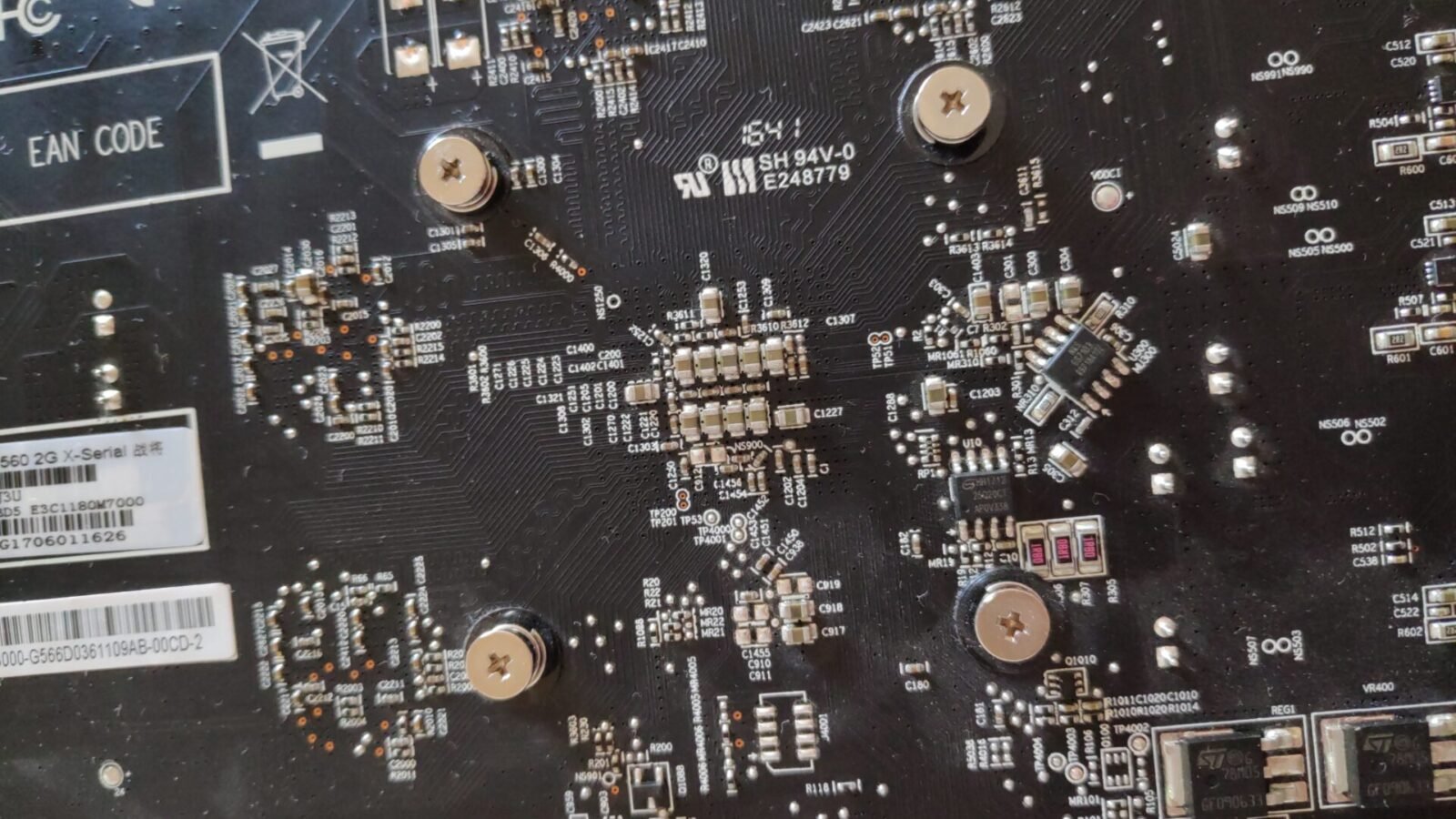
Featured image: Actual disassembly photograph of a PowerColor Radeon RX 560, used as a reference image of GPU hardware, not a photograph of the counterfeit RTX 4080 discussed here. “Powercolor RX560 Computer Graphic Card teardown 01,” by Karl Osj. G / Wikimedia Commons, licensed under CC BY-SA 4.0. Cropped and resized for site layout.